








You’ve spent weeks designing your new website, polishing the copy, and perfecting the layout. You hit publish, submit your site to Google Search Console (GSC), and then… wait.
How long does it actually take for Google to index a brand-new site? Is it hours, days, or weeks?
The short answer: Indexing a new website typically takes anywhere from 4 days to 4 weeks. However, depending on how your site is structured, whether you’ve submitted a sitemap, and how easily Google can discover your pages, that window can shrink to under 48 hours—or stretch into months.
Understanding how Google Search Console handles new domains, why indexing takes time, and what you can do to fast-track the process will help you get your site visible sooner.
Crawling vs. Indexing: Understanding the Difference
Before diving into timelines, it helps to understand what Google is actually doing behind the scenes. People often use “crawling” and “indexing” interchangeably, but they are two distinct steps in the search process:
- Crawling (Discovery): Google’s automated bots (called Googlebot) follow links across the web to discover that your URL exists.
- Indexing (Cataloging): Once Google crawls the page, it analyzes the content, images, and structure. If the page meets Google’s quality and technical standards, it gets saved into Google’s massive database—the search index.
Only after a page is indexed can it appear in search results for relevant queries.
Typical Indexing Timelines for New Websites
Because a brand-new domain has no history, no external backlinks, and zero established authority, Google doesn’t know how often to visit it yet. Here is a realistic timeline breakdown:
- Instant Indexing (1 to 48 Hours): Rare for an entire new site, but individual pages requested manually through the GSC URL Inspection tool can sometimes be indexed within hours.
- Standard Timeline (4 Days to 2 Weeks): Most well-optimized new sites with clean technical setups and clear XML sitemaps get their primary pages indexed within this window.
- Delayed Timeline (3 Weeks to 2 Months): If your site lacks backlinks, has duplicate content, or suffers from slow hosting, Google may take much longer to crawl and index your pages.
5 Factors That Influence Your Site’s Indexing Speed
Why do some new sites get indexed in two days while others take a month? It usually comes down to these five factors:
1. Site Architecture and Internal Links
Googlebot moves through your site by following links. If your homepage links clearly to your service pages, blog posts, and contact page, Google can easily map out your site. If pages are “orphaned” (unlinked from anywhere else), Google may never find them.
2. Domain Authority and Backlinks
Google prioritizes sites that other established web properties trust. Even just one or two links from active, reputable websites can signal to Googlebot that your new domain is worth crawling immediately.
3. Content Quality and Originality
Google does not index everything it finds. If a page contains thin, auto-generated, or duplicate content, Googlebot may crawl it but intentionally choose not to index it to preserve index quality.
4. Technical Roadblocks
Accidental technical settings can completely freeze the indexing process. Common culprits include:
- A stray noindex meta tag in your site header.
- A robots.txt file blocking Googlebot from accessing key folders.
- Slow server response times or frequent downtime.
5. Proper XML Sitemap Submission
An XML sitemap acts as a roadmap for search engines, listing every page you want indexed. Submitting this directly through Google Search Console cuts out the guesswork for Googlebot.
How to Check Your Indexing Status in Search Console
To see if Google has indexed your site yet:
- Log into Google Search Console.
- Select your property.
- Click on Pages under the Indexing menu on the left sidebar.
- Review the breakdown:
- Indexed: Pages currently live in Google search.
- Not Indexed: Pages Google discovered but hasn’t added yet, along with specific reason codes (e.g., “Discovered – currently not indexed” or “Crawled – currently not indexed”).
Alternatively, you can go directly to Google and search:
site:yourwebsite.com
If your pages appear in the search results, you’re indexed!
Step-by-Step: How to Fast-Track Google Indexing
Want to get indexed as quickly as possible? Follow these practical steps:
Step 1: Submit Your XML Sitemap
Navigate to Sitemaps in GSC, paste your sitemap URL (usually [yourwebsite.com/sitemap.xml](https://yourwebsite.com/sitemap.xml)), and click Submit.
Step 2: Use the URL Inspection Tool
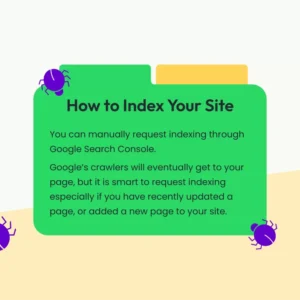
For critical pages like your homepage, paste the URL into the top search bar of GSC. Once the status loads, click Request Indexing. This puts your URL into Google’s priority crawl queue.
Step 3: Build Internal Links
Link your main navigation and key pages together logical fashion. Make sure every published page has at least one internal link pointing to it.
Step 4: Secure Initial External Links
Share your new site on your official social media profiles, update your LinkedIn company page, or write a guest post on a niche blog to generate early external signals.
Final Thoughts
Patience is key when launching a brand-new website. While waiting 1 to 3 weeks can feel stressful, it is completely normal for new domains. Focus on publishing high-value, original content, verifying your technical setup in Google Search Console, and building organic connections across your industry—the indexing will follow naturally.