







Canva is widely recognized as one of the most popular platforms for quick graphic design. However, many mobile users frequently search for alternatives due to subscription costs, feature lockouts, or performance constraints on mobile devices. Finding a completely free alternative to Canva for mobile can significantly improve your content creation workflow on both Android and iOS.
Top Free Canva Alternatives for Android and iOS
Several high-quality mobile applications offer intuitive drag-and-drop design tools, pre-made templates, and royalty-free asset libraries without forcing high subscription fees.
Adobe Express
Adobe Express stands out as one of the strongest mobile alternatives to Canva. Designed specifically for quick visual creation on mobile phones, it provides thousands of professionally crafted templates for social media posts, flyers, logos, and banners.
The application offers seamless integration with Adobe Creative Cloud assets, high-quality typography tools, and essential photo editing features. Users can remove backgrounds, apply professional filters, and animate text or visual elements directly from their smartphones.
VistaCreate
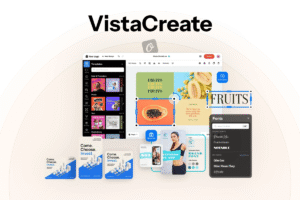
VistaCreate is another powerful graphic design app tailored for mobile creators. It offers a massive collection of design templates specifically formatted for Instagram stories, Facebook banners, YouTube thumbnails, and marketing collateral.
The mobile app includes access to millions of stock photos, vectors, and video clips. Its straightforward editing interface makes it easy to customize layouts, change brand colors, apply custom fonts, and export high-resolution media files without complex software training.
Pixlr
For users who need a stronger balance between graphic design templates and detailed photo editing, Pixlr provides a complete mobile solution. Unlike traditional design apps that rely heavily on fixed templates, Pixlr combines layout tools with advanced image manipulation features.
It allows mobile creators to work with layers, double exposures, light leaks, and custom blending modes. This makes it an ideal choice for users who want to create unique graphics from scratch or edit photos before adding design overlays.
Key Features to Consider When Choosing a Mobile Design App
When selecting a mobile design tool to replace Canva, evaluating specific workflow requirements ensures you pick the right application for your daily content needs.
Template Variety and Formatting Options
A great mobile design app must offer diverse pre-formatted canvas sizes for modern digital platforms. Look for applications that support one-click resizing for Instagram posts, TikTok videos, YouTube banners, and print materials.
Export Formats and Quality Limits
Check the export capabilities of the free tier before committing to an application. Ensure the app allows high-resolution exports in standard formats such as PNG, JPG, and MP4 without placing intrusive watermarks over your final designs.
Offline Capabilities and Performance
Mobile hardware constraints can affect design software performance. Lightweight applications that load quickly, consume less system memory, and offer partial offline editing capabilities provide a smoother experience on mid-range and budget smartphones.